Gloowly
Gloowly™ Remover Pore Vacuum Face
Couldn't load pickup availability
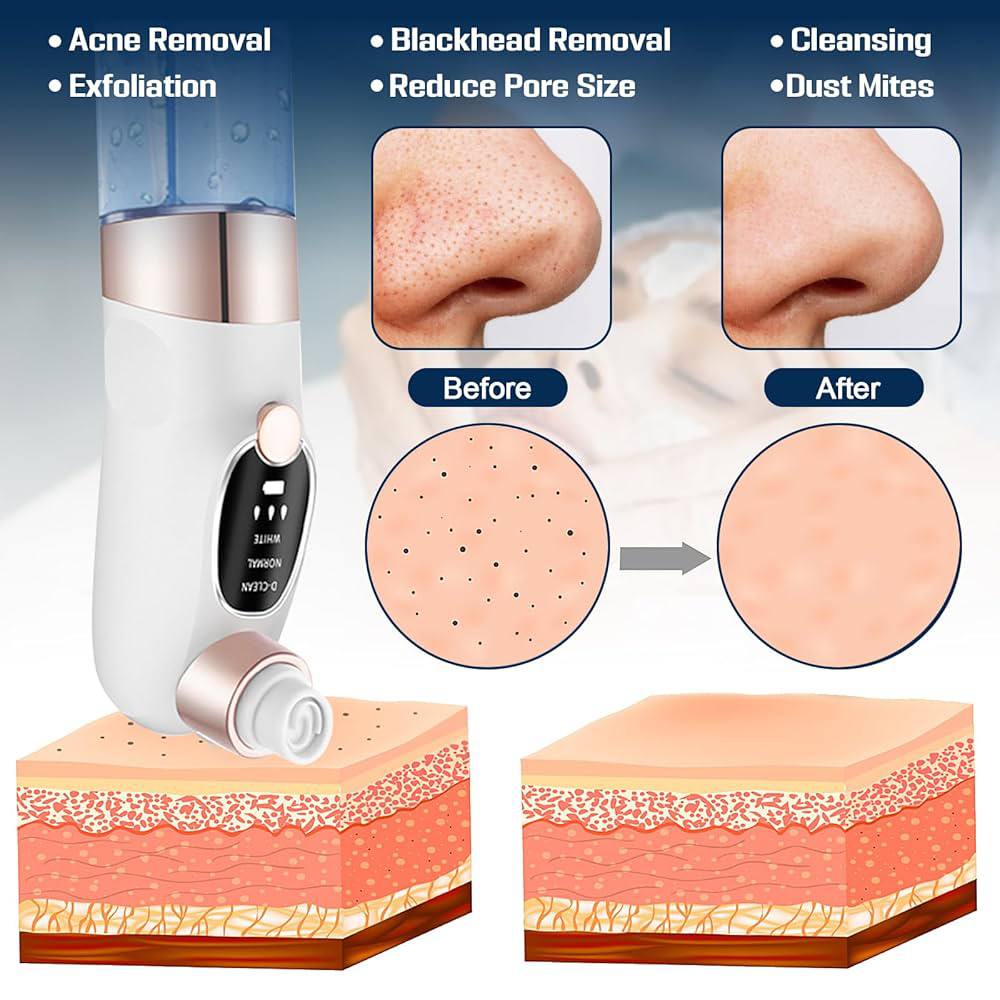
This is a USB‑rechargeable water‑cycle pore vacuum with 6 replaceable heads and multiple modes for different skin needs. It uses strong suction together with a gentle water rinse cycle to lift away blackheads, oil, makeup residue, and dead skin—aiming at cleaner‑looking pores and smoother texture without harsh manual scrubbing.

Why this matters:
-
Six heads cover different areas and skin conditions: from small T‑zone spots to larger areas or more sensitive skin.
-
You can choose the right head for the job rather than using one harsh tip everywhere.
Daily exposure to makeup, sunscreen, oils, and environmental debris can make pores look clogged or skin look dull. This device aims to:
• Lift away blackheads, excess oil, whiteheads, and dead skin
• Tighten the look of pores with cleaner surface skin
• Reduce the look of acne‑prone or congested areas when used properly
• Prevent cross‑contamination with its water cycle and replaceable heads

How to use — quick steps section intro

Step 1: Install the tip
-
Choose a suitable suction head for the area: small for T‑zone or sensitive spots, bigger or rubber for larger areas.
-
Click into the slot until secure.
Step 2: Fill the tank
-
Pull out the water tank, add purified or warm water (or a gentle cleansing solution if suitable).
-
Re‑insert the tank securely.
Step 3: Turn on and set intensity
-
Long‑press the power button to activate.
-
Adjust the suction level or mode to match your skin and area. Start gently.
Step 4: Glide & short contact
-
Run the device slowly over the area; keep the tip moving.
-
Do not leave the same spot for more than 3–5 seconds to avoid marks.
-
Use gentle pressure; let suction and water flow do the work.
Warm reminder:
-
Optionally use a warm compress or steam before use to open pores slightly.
-
Use purified or warm water, not harsh chemicals, per the guidance shown in visuals.

Why this feature helps:
-
Water cycle design flushes out impurities during suction, reducing buildup in the device and helping keep the suction tip clean.
-
Visual proof of water before vs. after indicates what was removed during the session.

Extra point:
-
Communicates that the device is meant for multiple visible skin concerns, not just one spot.

Use cases by mode:
-
D‑CLEAN: for oily skin or deep blackheads / acne in T‑zone.
-
NORMAL: for neutral or typical skin and general dirt.
-
WHITE: for dry, sensitive skin and mild or surface blackheads/pimples.
Tip: Start with the gentlest mode especially on sensitive or dry skin, then adjust as needed.

How to interpret:
-
Indicates effectiveness on common concerns when used correctly: oil removal, blackhead softening, reduced pore appearance.
Skin safety and best practices note
Keep sessions short, move continuously, choose the right head and mode, and avoid fragile or irritated areas.

Typical specs summarized from your visuals and product type:
-
Size: about 200 mm tall × 50 mm wide
-
Heads: up to 6 replaceable types (plastic and soft rubber variants)
-
Power: USB‑rechargeable; works with PC, adapter, power bank, etc.
-
Water tank: integrated, double design; refillable with water or suitable solution
-
Display / controls: simple button + indicator for mode/gear
Safety / caution
-
Do not leave the tip on one spot for too long (limit ~3–5 seconds).
-
Avoid use on broken, inflamed, or sunburned skin.
-
Use on clean skin and gently glide; do not press hard.
-
If you feel discomfort or see prolonged redness, stop and give skin time to recover.
-
Consult a professional if unsure, especially for acne or more severe skin issues.
Share